
Revenue leakage is one of the most persistent financial challenges facing dental practices today. It is not always caused by dramatic failures. More often, it is the result of small, cumulative gaps in your workflow: a missed billing code here, an uncollected fee there, a claim denial that nobody followed up on. These losses add up quietly and consistently, eroding your bottom line without triggering any obvious alarm. This guide walks you through every stage of optimising your revenue capture workflow, from understanding your current process and assembling the right tools, to executing improvements, avoiding common mistakes, and verifying that your changes are actually working.
Table of Contents
- Understanding your revenue capture workflow
- Essential tools and prerequisites for success
- Step-by-step workflow optimisation
- Troubleshooting and avoiding common mistakes
- Verifying success and measuring results
- Why most dental practices miss hidden revenue and what actually works
- Start capturing more revenue with smarter dental workflows
- Frequently asked questions
Key Takeaways
| Point | Details |
|---|---|
| Map your workflow | A clear, step-by-step process exposes where revenue may be lost. |
| Adopt smart tools | Automation and visibility software reduce errors and speed up revenue cycles. |
| Audit and adapt | Regularly reviewing your KPIs ensures ongoing gains and minimises leakage. |
| Consider outsourcing | External RCM support can help resolve persistent errors and denial issues. |
Understanding your revenue capture workflow
Revenue capture refers to the full process of collecting every pound your practice is legitimately owed, from the moment a patient registers to the point payment is confirmed. It is not just about billing. It spans patient registration, clinical coding, insurance claims, collections, and reconciliation. A gap at any one of these stages creates a leak, and most practices have several running simultaneously.
Here is a breakdown of where leakage most commonly occurs and its typical financial impact:
| Workflow stage | Common failure point | Estimated revenue impact |
|---|---|---|
| Patient registration | Incomplete or inaccurate data | 5–10% of claims delayed or denied |
| Clinical coding | Undercoding or missed procedures | 10–15% revenue loss per visit |
| Insurance claims | Late submission or missing documentation | Up to 20% denial rate |
| Collections | No follow-up on outstanding balances | 8–12% of revenue uncollected |
Understanding which stage is failing you is the starting point for any meaningful improvement. Without this visibility, you are essentially guessing.
Practices also need to consider their billing model. Fee-for-service models generate higher revenue per patient compared to PPO arrangements, which involve negotiated rates that reduce your effective charge per treatment. Both models have their place, but the workflow requirements differ significantly. PPO practices must be especially rigorous about coding accuracy and timely claims submission to maximise reimbursements within contracted limits.
"Outsourcing revenue cycle management can reduce billing errors, though it introduces service fees. Fee-for-service practices consistently generate higher revenue per patient than PPO-based models."
For practices looking to build a stronger foundation, reviewing guidelines for dental revenue capture improvement can help you identify where your current process falls short and what changes will deliver the greatest return.
- Ensure patient data is verified at every registration point
- Use procedure codes consistently and review them regularly
- Track every claim from submission to payment confirmation
- Follow up on outstanding balances within a defined timeframe
Essential tools and prerequisites for success
With an overview of your current workflow, the next step is to ensure you have the right tools and team in place before making changes. Attempting to optimise a broken process without the right infrastructure often makes things worse, not better.
The core requirements for a functioning revenue capture workflow are:
- Practice management software with integrated billing and scheduling
- A revenue cycle management (RCM) solution that tracks claims end to end
- Trained staff who understand coding, compliance, and collections
- A documented workflow chart that every team member can follow
- Reporting tools that surface KPIs in real time
Once these foundations are in place, you can begin introducing automation and AI-powered tools. These are not just for large practices. The technology for patient pipeline management is increasingly accessible and scalable for practices of all sizes.
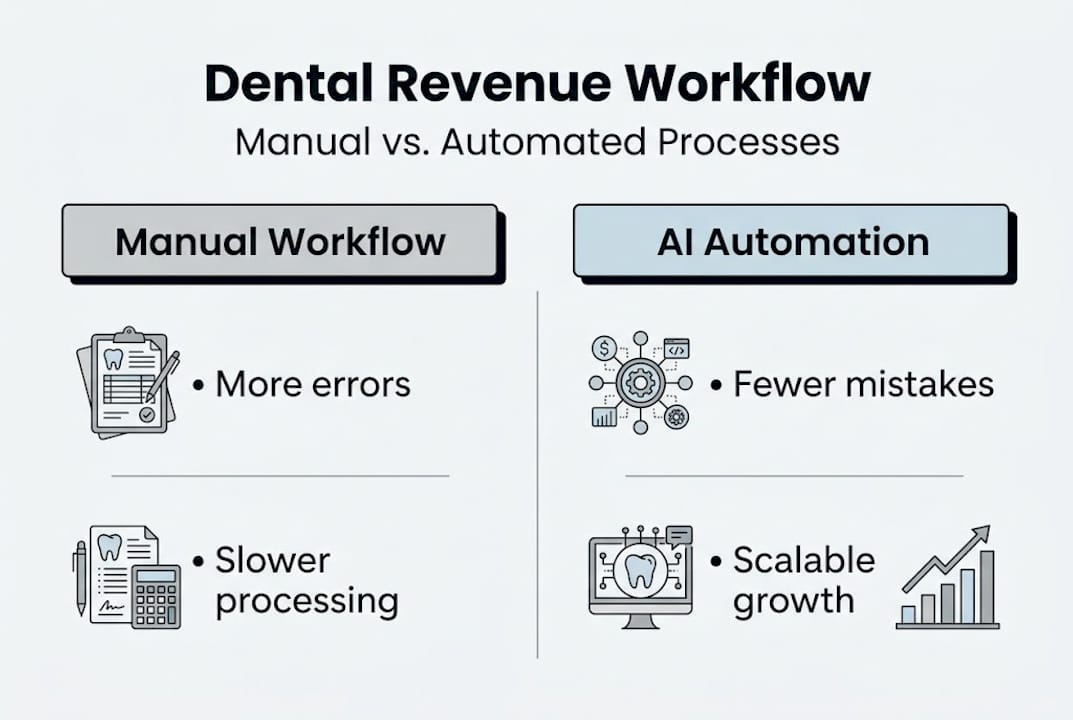
Here is how manual and automated workflows compare across the metrics that matter most:
| Factor | Manual workflow | Automated/AI-assisted workflow |
|---|---|---|
| Accuracy | Prone to human error | Consistently higher accuracy |
| Cost | Lower upfront, higher long-term | Higher setup, lower ongoing cost |
| Scalability | Limited by staff capacity | Scales with practice growth |
| Denial rate | Higher without strict oversight | Reduced through real-time checks |
| Staff resource needs | High | Reduced with automation |
AI scales more effectively than manual methods as your practice grows, making it a sound investment even for smaller clinics planning to expand.

Pro Tip: Prioritise end-to-end visibility before anything else. If you cannot see where a claim is in the process at any given moment, you cannot catch problems before they become denials or write-offs.
Step-by-step workflow optimisation
Once prerequisites are met and the right tools are set up, you can start revamping your workflow with these actionable steps.
- Audit your current state. Pull three to six months of billing data. Identify your denial rate, average days in accounts receivable (A/R), and collection rate. These numbers tell you where the real problems are.
- Map your new process. Create a clear, visual workflow that shows every step from patient check-in to payment. Assign ownership to each stage so accountability is clear.
- Integrate your software. Connect your practice management system to your RCM solution. Ensure data flows automatically between scheduling, coding, and billing to eliminate manual re-entry.
- Train your team. Even the best system fails without informed staff. Run structured training sessions focused on coding accuracy, claims submission, and collections follow-up.
- Pilot the new workflow. Test changes with a subset of patients or a single provider before rolling out practice-wide. This limits disruption and surfaces issues early.
- Verify and refine. After four to six weeks, review your KPIs again. Compare denial rates, collection rates, and days in A/R against your baseline.
When evaluating manual and automated workflows, the evidence consistently favours automation for practices handling significant claim volumes. You can also review automated dental workflow costs to understand what investment looks like at different scales.
Pro Tip: Automate appointment reminders and claims follow-up communications. These are repetitive, time-sensitive tasks where human error is most likely and the cost of failure is highest.
AI and automation scale more effectively than manual methods for growing practices, making early adoption a strategic advantage rather than a luxury.
Troubleshooting and avoiding common mistakes
Even with a solid workflow in place, there are some common hurdles that can undermine your results. Addressing them head-on is crucial.
The most frequent errors practices encounter include:
- Data entry mistakes at registration that cascade into billing errors and claim denials
- Poor internal communication between clinical and administrative teams, leading to missed or incorrect codes
- Failure to track KPIs consistently, meaning problems go undetected for months
- No denial management process, so rejected claims are written off rather than resubmitted
- Inconsistent follow-up on outstanding patient balances
Each of these has a practical fix. Data entry errors are reduced through verification protocols at check-in. Communication gaps are closed by creating a shared handoff process between clinicians and billing staff. KPI tracking becomes manageable when your software surfaces the right data automatically.
"Fee-for-service generates up to 45% more production per patient than PPO arrangements. High denial rates are a strong signal that outsourcing RCM tasks may deliver better results than continuing with in-house management."
The outsourcing question is worth addressing directly. If your denial rate exceeds 10% consistently, or if your team simply does not have the capacity to manage claims properly, outsourcing specific RCM functions can be a pragmatic solution. It is not an admission of failure. It is a business decision based on where your resources are best deployed.
The key is to avoid the trap of tolerating persistent leakage because fixing it feels complicated. Small, targeted interventions, applied consistently, produce measurable results over time.
Verifying success and measuring results
After implementing and adjusting your workflow, it is essential to validate that your efforts are generating the intended impact. Optimisation without measurement is just change for its own sake.
The KPIs every dental practice should track are:
- Collection rate: Target 95% or above. This measures the percentage of billed fees actually collected.
- Denial rate: Aim for below 5%. A rising denial rate signals coding or submission issues.
- Days in A/R: Keep this below 30 days. Longer periods indicate slow follow-up or systemic billing problems.
- Production per patient visit: This reveals whether your coding and treatment planning are capturing the full value of each appointment.
Review these metrics monthly at a minimum. Quarterly deep dives allow you to spot trends and adjust your workflow before small problems become significant losses. Build a simple dashboard in your practice management software so the data is always visible.
The impact of workflow strategy on these numbers is significant. Fee-for-service models deliver 30 to 45% higher production per patient compared to PPO arrangements, illustrating how billing model and workflow together shape your financial outcomes.
For practices ready to go further, measuring revenue improvement with dedicated tools gives you a clearer picture of return on investment and helps justify further technology adoption to stakeholders.
Ongoing evaluation is not optional. Patient volumes change, insurance rules evolve, and staff turn over. A workflow that performs well today needs regular review to stay effective tomorrow.
Why most dental practices miss hidden revenue and what actually works
Here is an uncomfortable truth: most practices that struggle with revenue capture are not failing because of ignorance. They are failing because of inertia. A workflow gets set up, it works well enough, and then nobody touches it for two years. Meanwhile, coding standards shift, new insurance rules come into effect, and staff quietly develop workarounds that nobody documents.
The "set and forget" habit is the single biggest driver of persistent leakage. Modern RCM tools are underused not because they are too expensive, but because implementing them feels disruptive. The irony is that the disruption of adoption is almost always smaller than the ongoing cost of doing nothing.
Real improvement comes from small, consistent changes applied over time, not from a single large overhaul. A practice that reviews its denial rate every month and makes one targeted fix each quarter will outperform a practice that launches a major workflow redesign every few years. Visibility drives action, and how pipeline visibility changes revenue capture is something every practice manager should understand before making any technology decision.
Start capturing more revenue with smarter dental workflows
If you are ready to move from reactive billing to structured, measurable revenue capture, ReplyOS gives you the tools to make that shift with confidence.
Start with the revenue leakage calculator to quantify exactly what your practice may be leaving on the table each month. Then explore the platform for full revenue workflow visibility, where you can see how ReplyOS centralises inbound enquiries, automates follow-up, and tracks every conversation from first contact to confirmed booking. When you are ready to commit, pricing and plans are transparent and designed to scale with your practice. The next step is yours.
Frequently asked questions
What is the most common cause of revenue leakage in dental practices?
The main cause is poorly managed workflows that lead to billing errors, uncollected fees, and claim denials. Outsourcing can reduce errors, though it introduces service fees that must be weighed against the savings.
How does automation improve dental revenue capture?
Automation minimises manual errors and scales revenue processes efficiently as your practice grows. AI scales better than manual methods, making it a strong long-term investment for practices with growing patient volumes.
When should a dental practice consider outsourcing RCM tasks?
Consider outsourcing when your denial rate is consistently high or your team lacks the capacity for thorough claims management. Outsourcing helps reduce denial rates and can free your staff to focus on patient-facing responsibilities.
Is the fee-for-service model always better than PPO?
Fee-for-service typically yields higher revenue per patient, but PPOs can attract a broader patient base. FFS generates 30 to 45% higher production per patient, though the right model depends on your practice's growth goals and local market.